01
Develop in a shared project
Import L5X or L5K, edit routines and tags in the browser, and invite your engineers. Keep project documentation beside the source it explains.
Explore the engineering workspace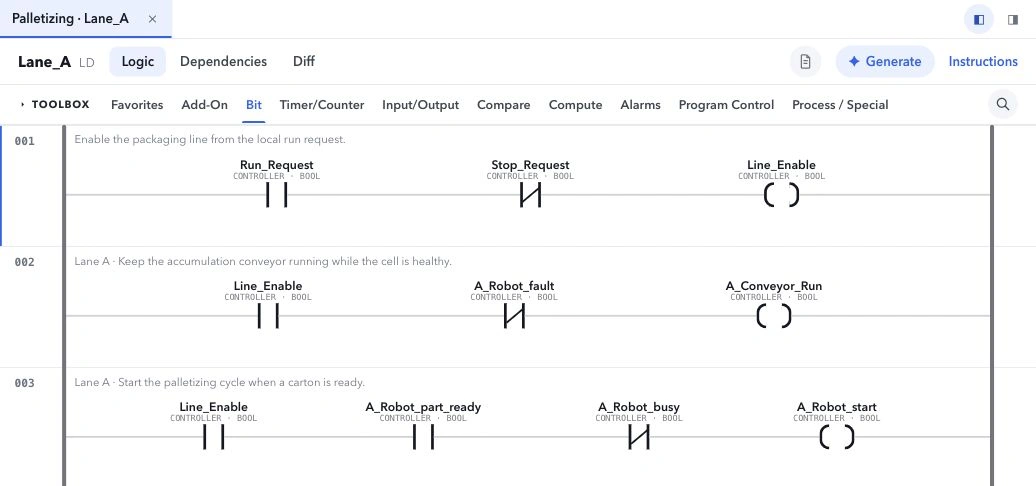
One engineering workspace for controls teams. Write Ladder and Structured Text, run it against a simulated 3D machine, and review every change together before anyone travels to site.
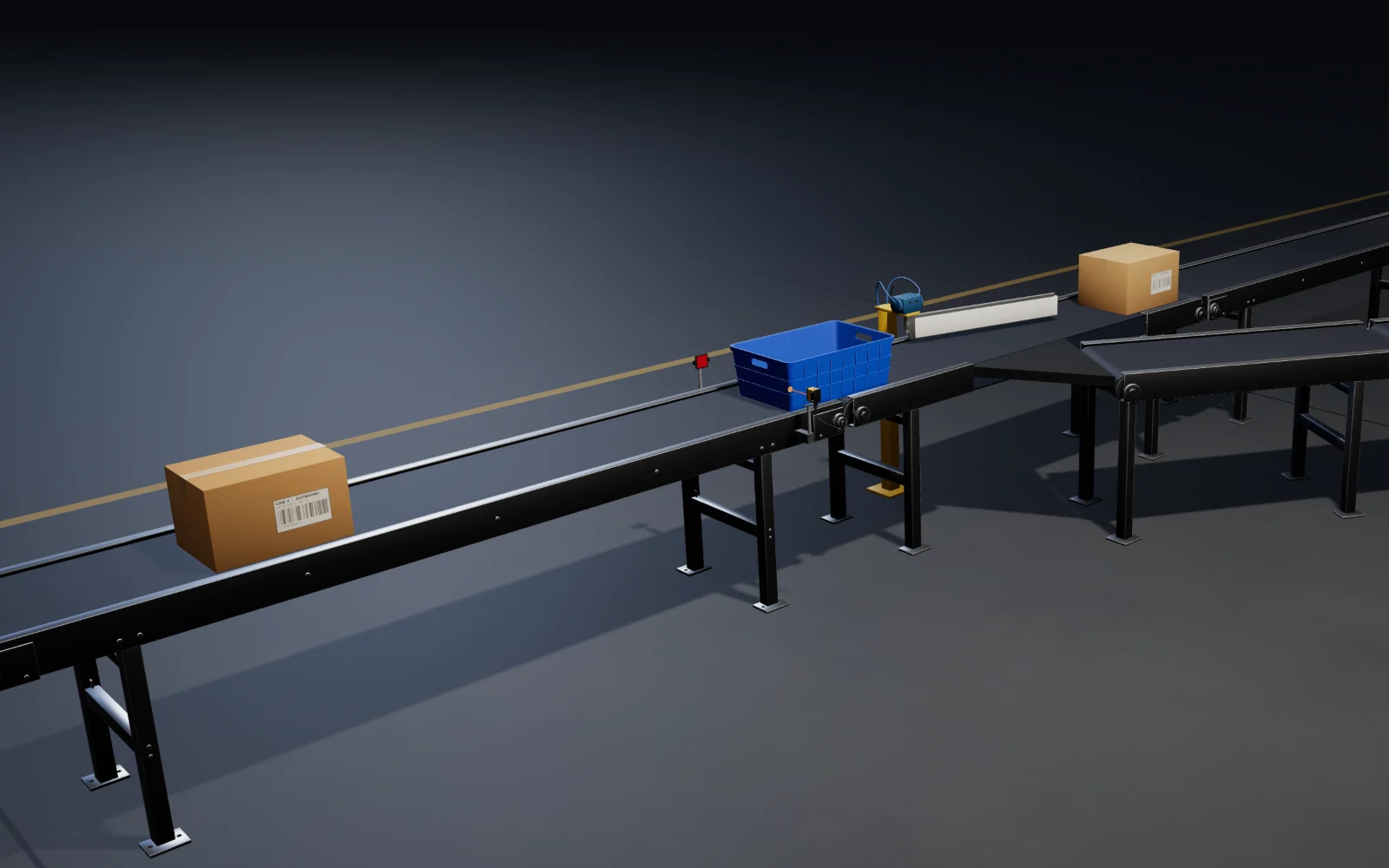
Length check: time how long PE_101 is blocked.
Long product: hold the divert until it clears the arm.
Swing the gate to the spur.
| Tag / scope | Type | Simulated value |
|---|---|---|
| Len_Tmr.ACCP02_Sort | DINT | 950 |
From the first logic change to commissioning, keep the source, tests, and engineering record in the project your team shares.
Import L5X or L5K, edit routines and tags in the browser, and invite your engineers. Keep project documentation beside the source it explains.
Explore the engineering workspace
Connect modeled devices to your PLC tags, step through supported logic, and follow device feedback in local 3D simulation. Save the scenario and its results so the next engineer can repeat the checks.
See Machine & simulation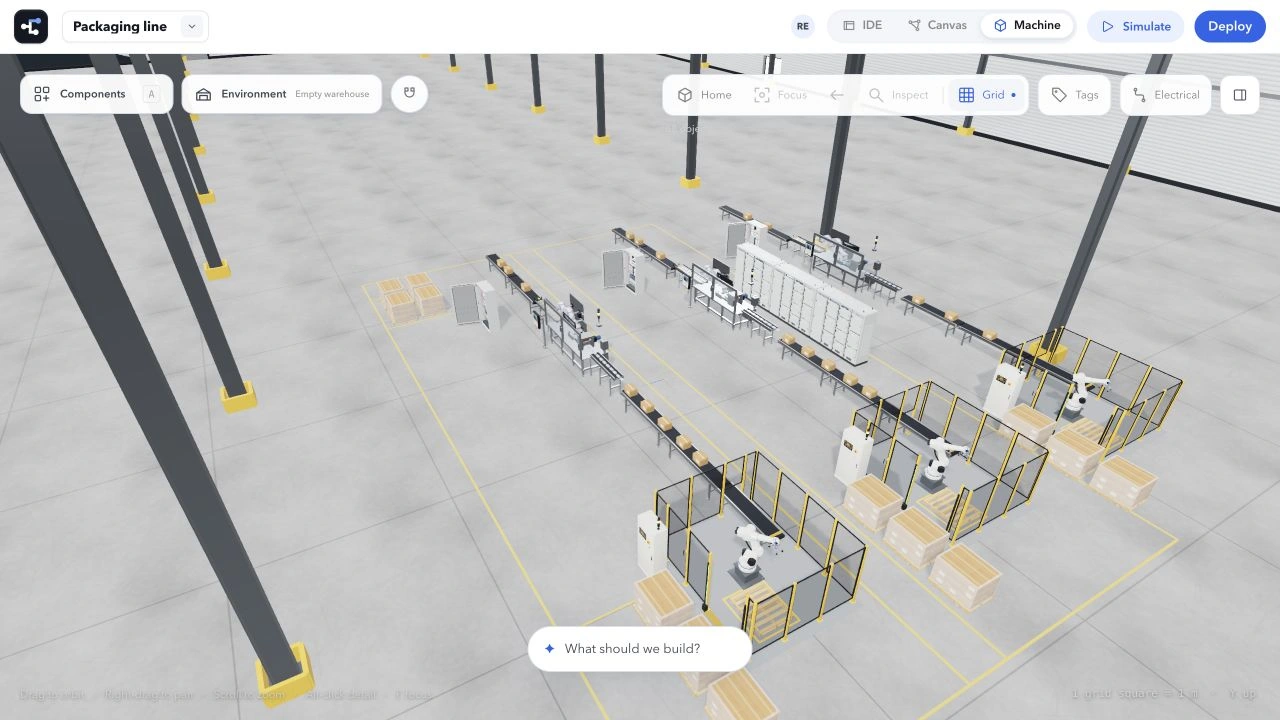
Compare saved revisions, record commissioning checks, attach evidence, and track punch-list items. Give the next engineer a record of what changed and what still needs attention.
See team projects & handoff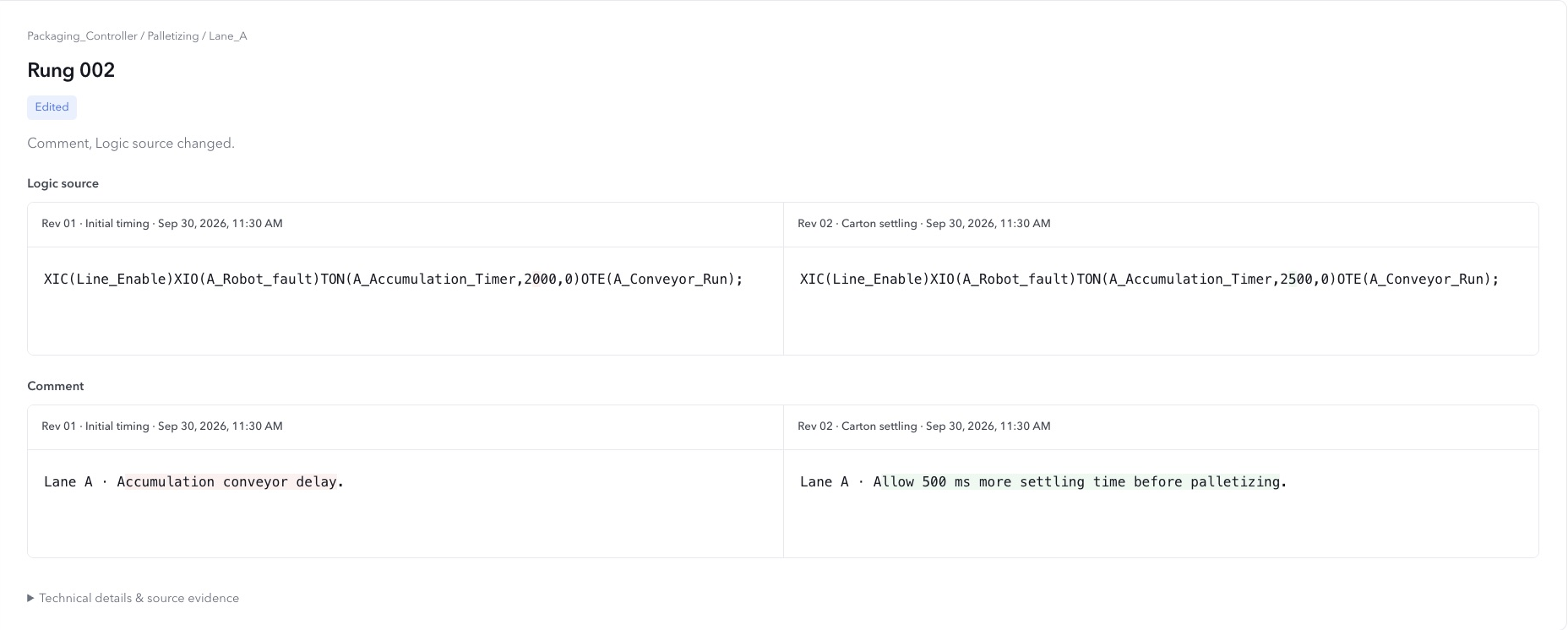
Agent reads saved project source to explain a rung or propose an edit. Use it to work through a project you’ve inherited, with every proposed change open for review.
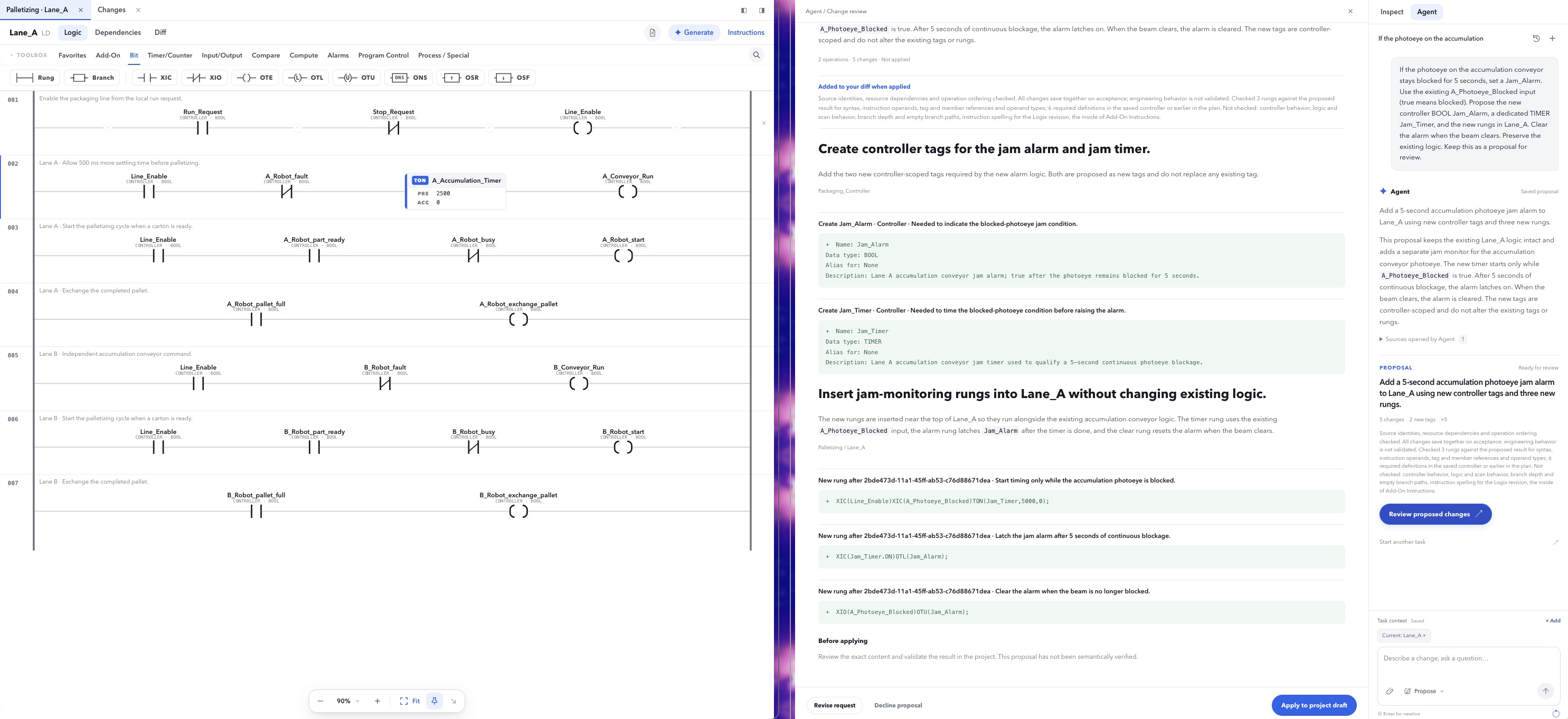
Select a rung and ask what it does. Agent uses that saved source, so you don’t have to paste the routine into a separate chat.
Ask for a routine, tag changes, or project documentation. Inspect the proposed edits before accepting them into your offline draft.
Use local simulation and saved test scenarios to check supported behavior. Rungbase does not connect to or write to physical controllers.
Rungbase never connects to or writes to a physical controller, and nothing downloads on its own. Agent proposals stay proposals until an engineer reviews the diff and accepts it.
Projects belong to your organization. Invite engineers so they can access the saved project source, documentation, tests, and commissioning records in their browsers. Simulation sessions run locally in each engineer’s browser.
Rungbase brings supported offline PLC editing, local simulation, engineering tests, and project records into one workspace. You still need vendor tools for hardware connections, controller downloads, and vendor-specific validation. Check the current capabilities against your project.
Create projects, import L5X or L5K controller sources, edit supported logic, run local simulations and engineering tests, build a 3D machine, and keep commissioning records. Explore the current capabilities.
The current workspace is for offline engineering. Local simulation runs in your browser. Live controller connections and controller downloads are not available.
You can import complete L5X and L5K controller sources and supported partial L5X components. Original artifacts and unsupported vendor content are preserved. Importing a source does not guarantee complete vendor or firmware compatibility.
Agent prepares a proposed change using saved project context. You review the diff and confirm it before the offline draft is updated. Saved revisions and local simulation state remain separate.
Create an account, then create an organization and a project. Start a blank controller or import an L5X or L5K file. To walk through a specific project with us, request a walkthrough.